
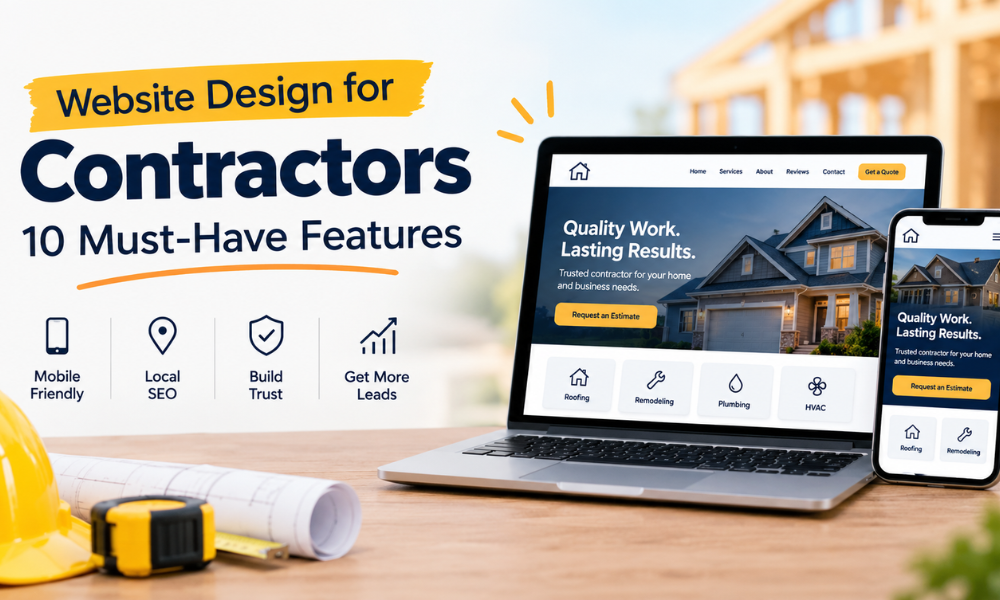
Website Design for Contractors: 10 Must-Have Features
A professional website can help contractors attract new customers, build trust, and book more jobs. When homeowners need a plumber, roofer, HVAC technician, or remodeling contractor, they often search online before choosing a company.
If your website is difficult to use, slow to load, or missing important information, potential customers may leave and contact another business.
Your website should do more than look good. It should make it easy for people to understand your services, trust your business, and request an estimate.
In this guide, we’ll cover 10 essential features every contractor website needs, along with practical tips to help you turn more visitors into customers.
Why Does a Professional Website Matter for Contractors?
Your website is often one of the first places potential customers learn about your business. It helps them understand what you do, where you work, and why they should choose you.
A well-designed website can help you:
- Build trust with potential customers.
- Show the services you offer.
- Display customer reviews and completed projects.
- Help local customers find your business on Google.
- Receive more calls and estimate requests.
- Make it easier for customers to contact you.
For example, if a homeowner searches for a roofing contractor in their area, they may visit several websites before making a decision. A website that clearly explains your services, displays real project photos, and makes it easy to request an estimate gives that homeowner a reason to contact you.
10 Essential Features Every Contractor Website Needs
1. A Clear Headline and Value Proposition
When someone visits your website, they should quickly understand what your business does and where you provide services.
Avoid vague headlines such as “Welcome to Our Website” or “Quality You Can Trust.” These phrases don’t tell visitors much about your business.
Instead, use a headline that explains your service and the benefit you provide.
For example:
- Reliable HVAC Repair and Installation in Dallas, TX
- Professional Roofing Services for Homes in Houston
- Plumbing Repairs and Installations in Austin, TX
- Home Remodeling Services in Fort Worth, TX
Add a short description below the headline to explain how you help customers.
Your goal is simple: visitors should not have to search through several pages to understand what you offer.
2. Easy-to-Find Contact Information
Homeowners looking for a contractor often want to speak with someone or request an estimate as quickly as possible.
If your phone number is difficult to find, they may leave your website and contact another company.
Make your contact information easy to see. Place your phone number near the top of the page and include it in your website’s header or navigation menu.
Your website should also include:
- Business phone number
- Business email address
- Service area
- Business hours
- Contact page
If many of your customers visit your website on their phones, make your phone number clickable. This allows visitors to call your business with one tap.
The easier you make it for people to reach you, the fewer obstacles stand between them and requesting your services.
3. A Prominent “Request an Estimate” Button
Many homeowners visit a contractor’s website because they want a quote, consultation, or appointment.
Make the next step clear with a visible call-to-action button.
Examples include:
- Request a Free Estimate
- Schedule an Appointment
- Get a Quote
- Call Us Today
- Book a Consultation
Place your main button near the top of your homepage and repeat it where it makes sense throughout the website.
For example, a roofing company could include a “Request a Roofing Estimate” button below its service description and again after its project gallery.
Avoid using too many different calls to action on the same page. Choose one main action and make it easy to find.
4. A Mobile-Friendly Website
Many homeowners search for local contractors using their smartphones. They may be looking for an emergency plumber, an HVAC repair service, or a roofer after a storm.
If your website doesn’t work well on a phone, visitors may struggle to read your content, find your phone number, or complete a contact form.
A mobile-friendly website should have:
- Text that is easy to read.
- Buttons large enough to tap.
- Images that fit the screen.
- Simple navigation.
- Forms that are easy to complete.
- Clickable phone numbers.
Check your website on different screen sizes before publishing it. Don’t rely only on how it looks on your desktop computer.
A good mobile experience helps customers find the information they need without unnecessary effort.
5. Dedicated Service Pages
If your business offers several services, don’t put everything on one page.
Create a separate page for each major service. This helps visitors understand what you offer and gives search engines more relevant information about your business.
For example, an HVAC contractor might have pages for:
- AC Repair
- Heating Repair
- HVAC Installation
- AC Maintenance
- Emergency HVAC Services
A roofing company might create separate pages for roof repair, roof replacement, storm damage repair, and roof inspections.
Each service page should explain what the service includes, which problems you solve, and how customers can request an estimate.
Include relevant photos, frequently asked questions, and customer reviews where appropriate.
Dedicated service pages also create more opportunities for your website to appear in Google when people search for specific services.
6. Service Area Information
Contractors usually serve specific cities, towns, or neighborhoods. Your website should make those areas clear.
Add your primary service area to your homepage and include a dedicated service area page if your business covers several locations.
For example, a plumbing company based in Dallas might explain that it serves Dallas, Plano, Irving, and nearby communities.
You can also create individual location pages for important service areas when you have useful, unique information to share about each location.
Avoid creating dozens of nearly identical pages just by changing the city name. Each page should provide real value to people in that area.
Make sure your website’s service area information matches the locations your business actually serves.
7. Customer Reviews and Testimonials
Before hiring a contractor, many homeowners want to know whether other customers have had a good experience.
Customer reviews can help answer that question and build confidence in your business.
Add genuine customer testimonials to your website. Where appropriate, include links to your Google Business Profile so visitors can read more reviews.
You can also highlight feedback about specific services, such as a successful roof replacement or a quick plumbing repair.
A few useful tips:
- Ask satisfied customers to leave honest reviews.
- Use real customer feedback.
- Get permission before publishing identifiable customer details.
- Keep your reviews current.
- Respond professionally to both positive and negative feedback.
Never create fake reviews or present invented testimonials as real customer experiences.
Honest feedback helps potential customers understand what they can expect when working with your company.
8. Photos of Completed Projects
Contracting is a service where customers often want to see the quality of your work before hiring you.
Real project photos can help demonstrate your experience and give visitors a better understanding of what your business can do.
Consider adding a project gallery featuring completed jobs, such as:
- Roof replacements
- Kitchen and bathroom remodels
- HVAC installations
- Plumbing repairs
- Exterior renovations
Whenever possible, use your own photos instead of generic stock images.
You can also create short project descriptions explaining the customer’s problem, the work completed, and the result.
For before-and-after photos, make sure you have permission to use the images and that they accurately represent your work.
A strong project gallery helps customers see the results of your services rather than relying only on written claims.
9. Fast-Loading Pages and a Secure Website
Website speed matters because visitors don’t want to wait for pages to load. A slow website can make it harder for people to browse your services or complete a contact form.
To improve website performance:
- Compress large images before uploading them.
- Remove unnecessary plugins and scripts.
- Use reliable website hosting.
- Keep your website platform and plugins updated.
- Test your website’s speed regularly.
You should also make sure your website uses HTTPS. This helps protect information exchanged between the visitor’s browser and your website.
Pay particular attention to contact forms. Collect only the information you need and make sure submissions are handled securely.
A fast, secure website provides a smoother experience and helps customers feel more comfortable contacting your business.
10. Simple Contact Forms and Convenient Booking Options
Not every visitor wants to call your business. Some prefer to submit a form and wait for a response.
Give visitors an easy way to request an estimate or ask a question.
A basic contractor contact form may include:
- Name
- Phone number or email address
- Service needed
- Property location
- Brief description of the job
Keep the form short. Asking for too much information at the beginning may discourage people from completing it.
If your business schedules consultations or estimates, consider adding an appointment booking option.
Most importantly, make sure someone follows up on every inquiry. A well-designed website can generate leads, but those opportunities can be lost if messages go unanswered.
How to Make Your Contractor Website Generate More Leads
Having a professional website is a good start, but you also need to make it easy for visitors to become customers.
Here are some practical ways to improve your website’s lead generation.
Make the Next Step Obvious
Every important page should guide visitors toward a useful next step, such as calling your business or requesting an estimate.
Don’t make visitors guess what to do next.
Explain the Benefits of Your Services
Instead of listing only the services you provide, explain how those services help customers.
For example, rather than writing “HVAC Maintenance,” explain that regular maintenance can help homeowners identify potential issues and keep their heating and cooling systems running properly.
Keep your claims accurate and avoid promising results you cannot guarantee.
Build Trust Before Asking for Contact Details
Display genuine reviews, relevant qualifications, photos of completed work, and clear information about your business.
These details help visitors understand who they are contacting and what to expect.
Respond to Inquiries Quickly
Getting a lead is only the first step. If someone requests an estimate but doesn’t hear back, they may contact another contractor.
Set up a process for checking contact forms, returning missed calls, and following up with potential customers.
Capinity can help contractors respond to inquiries and automate follow-ups, making it easier to keep track of potential jobs while the team is busy on-site.
The goal is to make sure good opportunities don’t get overlooked simply because everyone is busy working.
Contractor Website SEO: How to Get Found on Google
Your website should not only help visitors who already know your business. It should also help new customers discover you through search engines.
Here are some basic SEO practices to follow.
Use Relevant Keywords
Think about the phrases customers use when searching for your services.
Examples include:
- Plumber in Austin, TX
- HVAC repair in Dallas
- Roofing contractor in Houston
- Bathroom remodeling in Fort Worth
Use relevant phrases naturally in page titles, headings, service descriptions, and other helpful content. Avoid repeating keywords unnaturally.
Write Unique Page Titles and Meta Descriptions
Each important page should have a clear title and a useful meta description that explains what visitors will find.
For example, a roofing service page could use the title “Roof Repair in Houston, TX | [Business Name].”
A relevant title helps search engines and users understand the page.
Optimize Your Google Business Profile
Claim and update your Google Business Profile with accurate business details, services, hours, photos, and contact information.
Encourage customers to leave honest reviews and respond to them professionally.
Your website and Google Business Profile should provide consistent information about your company.
Improve Internal Linking
Link related pages together to help visitors find useful information.
For example, a blog post about roof maintenance could link to your roof repair and roof inspection service pages.
Internal links also help search engines discover and understand the relationships between pages on your website.
Create Helpful Content
Publish useful articles that answer common customer questions.
A roofing contractor could write about signs of roof damage, while a plumber could explain what homeowners should do when a pipe leaks.
Helpful content can attract relevant visitors and demonstrate your knowledge of your industry.
Keep in mind that SEO takes time, and no website can guarantee a specific Google ranking.
Why Mobile-Friendly Design Is Especially Important for Contractors
Imagine a homeowner discovers a water leak and searches for a plumber on their phone.
They open your website but can’t find your phone number. The text is too small, the page takes too long to load, and the contact form is difficult to use.
They may leave before contacting you.
Now imagine the same website with a clear service description, a visible phone number, and a simple estimate request form.
The homeowner can quickly understand what you offer and contact your business.
That is why mobile-friendly design should be a priority. It removes unnecessary steps between a potential customer finding your business and getting in touch.
Common Contractor Website Design Mistakes to Avoid
Even a good-looking website can struggle to generate inquiries if important details are missing.
Watch out for these common mistakes:
- No clear call to action: Visitors should know how to request an estimate or contact your business.
- Outdated contact information: Incorrect phone numbers, business hours, or service areas can cost you opportunities.
- Too much text: Use short paragraphs, clear headings, and bullet points to make information easier to scan.
- Poor-quality images: Blurry or irrelevant photos can make your business look less professional.
- No customer reviews: Without genuine reviews or testimonials, visitors may have fewer reasons to trust your business.
- One page for every service: Customers and search engines benefit from clear, dedicated service pages.
- Ignoring mobile users: Your website should be easy to use on smartphones and tablets.
- Slow follow-up: Don’t assume that receiving a contact form submission means the job is secured. Have a process for responding promptly.
Fixing these issues can make your website more useful to potential customers.
How Much Does Contractor Website Design Cost?
The cost of contractor website design depends on the size and requirements of your project.
A simple website with a homepage, contact page, and a few service pages will generally require less work than a custom website with many service pages, location pages, project galleries, and booking features.
Common factors that affect the price include:
- Number of pages
- Custom design requirements
- Website copywriting
- Search engine optimization
- Contact forms and booking integrations
- Hosting and ongoing maintenance
Before hiring a web designer, decide what you need your website to accomplish.
Ask for a clear breakdown of the work included, the expected timeline, ongoing costs, and who will own the website and its content.
A website should fit your budget while providing the features your business needs to attract and manage customers.
Contractor Website Launch Checklist
Before launching a new website or updating your current one, use this checklist to make sure the important details are covered.
- The homepage clearly explains your services and service area.
- Your phone number and contact details are correct.
- Visitors can easily request an estimate.
- The website works well on mobile devices.
- Each major service has a dedicated page.
- Your service areas are clearly listed.
- Genuine customer reviews are displayed.
- Project photos are clear and relevant.
- Pages load quickly.
- Your website uses HTTPS.
- Page titles and meta descriptions are in place.
- Contact forms have been tested.
- Form submissions reach the right person.
- You have a process for responding to new inquiries.
- Google Analytics or another suitable analytics tool is set up.
- Your Google Business Profile is accurate and up to date.
You don’t have to fix everything at once. Start with the issues that make it difficult for customers to understand your services or contact your business.
Build a Website That Helps You Book More Jobs
A contractor website should do more than look professional. It should help potential customers find your business, understand your services, trust your work, and request an estimate.
Start with the basics: a clear homepage, easy-to-find contact information, mobile-friendly design, dedicated service pages, genuine reviews, and a simple way to request an estimate.
Then focus on improving your local SEO and making sure every inquiry receives a timely response.
Remember, getting more website visitors is only part of the process. You also need a reliable way to turn those visitors into real business opportunities.
Want a Website That Helps Your Business Grow?
At Capinity, we help contractors improve their online presence with professional website design, local SEO, and tools that help manage incoming leads and follow-ups.
Whether you need a new website or want to get more value from your current one, the goal is simple: make it easier for potential customers to find you, contact you, and choose your business.
Visit Capinity to learn more about our services.