
Getting new leads is only part of growing a small business. You also need to respond to inquiries, answer questions, follow up with potential customers, and turn those conversations into sales.
But when you are busy managing daily operations, it is easy to miss a call, forget to reply to a message, or wait too long to contact someone who requested a quote.
That is where automated lead follow-up software can help.
These tools help businesses respond to new inquiries, schedule follow-up messages, organize contacts, and keep potential customers moving through the sales process. Some also offer missed-call text-back, appointment booking, and website chat.
In this guide, we compare seven lead follow-up tools, explain the features worth looking for, and show you how to choose the right option for your business.
What Is Automated Lead Follow-Up Software?
Automated lead follow-up software helps businesses contact and manage potential customers without relying on someone to complete every step manually.
For example, when someone submits a form on your website, the software can automatically send an acknowledgment, notify your team, create a follow-up task, or begin a message sequence.
Depending on the platform, you may also be able to send text messages, schedule emails, track conversations, and book appointments.
A typical automated follow-up process looks like this:
- A potential customer calls your business or submits an inquiry.
- The software records the lead’s contact information.
- The customer receives an appropriate initial response.
- The system schedules a follow-up or reminds your team to make contact.
- The conversation continues until the lead books an appointment, becomes a customer, opts out, or no longer needs follow-up.
The exact process depends on the software and how you configure it.
The goal is simple: help your business follow up consistently without adding more manual work.
Why Do Small Businesses Need Lead Follow-Up Automation?
Small businesses often have limited time and staff. The same person might answer calls, prepare estimates, manage appointments, serve customers, and handle marketing.
When several inquiries arrive at once, follow-up can easily become another unfinished task.
Automation helps create a more consistent process.
1. Respond to new inquiries faster
People contacting your business often want information quickly. If they do not receive a response, they may continue looking for other providers.
An automated acknowledgment can confirm that you received their inquiry and explain what happens next. Depending on the system, it may also answer common questions or help the customer schedule an appointment.
Research highlights why response speed deserves attention. In a 2016 InsideSales response audit of 4,723 companies, the average reported response time was 38.35 hours, and only 7.7% of leads received a response within five minutes. These results describe that particular audit, not every business today, but they illustrate how easily follow-up can be delayed.
Source: InsideSales lead response audit.
2. Reduce forgotten follow-ups
A potential customer might request an estimate today but need a reminder tomorrow. Another person may ask a question and then get busy before responding.
Without a clear process, these conversations can disappear from your inbox.
Automated reminders and follow-up sequences help you remember the next step. You can set rules for when a message should be sent, when a team member should be notified, and when a lead should be marked as inactive.
3. Save time on repetitive tasks
Many follow-up activities happen repeatedly:
- Sending appointment confirmations
- Acknowledging website inquiries
- Reminding customers about upcoming appointments
- Following up on estimates
- Updating lead records
- Notifying staff about new inquiries
Automation can handle suitable routine tasks so your team has more time for customer service and work that requires human judgment.
4. Keep potential customers engaged
Not every lead is ready to buy immediately. Some need more information, time to compare options, or a reminder to complete the next step.
A thoughtful follow-up sequence helps your business stay in touch without relying on memory.
The key is to send useful, relevant messages rather than repeatedly asking whether someone is ready to buy.
5. Understand which leads become customers
Lead follow-up software may also track response times, appointments, message replies, and sales outcomes.
This information can help you identify where leads are getting stuck. For example, you might discover that many customers request estimates but few schedule appointments.
With that information, you can improve your process instead of assuming you simply need more leads.
What Features Should You Look for in Lead Follow-Up Software?
The best automated lead follow-up software depends on how your business receives inquiries and communicates with customers. Before choosing a tool, consider these important features.
Automated email and SMS follow-ups
Look for software that can send messages based on triggers, time delays, or changes in a lead’s status.
For example, a customer who requests a quote could receive an acknowledgment immediately and a relevant follow-up later if they have not responded.
Check whether the platform supports the channels your customers actually use, and whether you can customize messages.
Instant lead response
Some tools can send an immediate response when a website form is submitted or a new inquiry is received.
For service businesses, this can help confirm that the request was received while a team member prepares to respond personally.
Be sure to distinguish between an automated acknowledgment and a complete answer to the customer’s question. Complex requests may still need a person.
Missed-call text-back
If your business receives phone inquiries, missed-call text-back can be particularly useful.
When an eligible incoming call goes unanswered, the system sends a text message acknowledging the call and inviting the customer to continue the conversation.
For example:
“Hi, thanks for calling ABC Plumbing. Sorry we missed you. What plumbing issue can we help with?”
A feature like this can give the customer another way to reach you while your team is working.
Read HighLevel’s official guide to missed-call text-back for an example of how this type of automation works.
Lead tracking and contact management
A useful system should help you see who contacted your business, what they need, and what should happen next.
Look for features such as contact records, lead status, conversation history, task reminders, and a visual sales pipeline.
These tools are especially valuable when several employees share responsibility for handling inquiries.
Appointment scheduling
If your business relies on consultations, estimates, or service appointments, look for software that connects follow-up with scheduling.
A customer might receive a booking link after submitting an inquiry. The system may then send appointment confirmations or reminders, depending on the features available.
Reporting and integrations
Your software should work with the tools you already use whenever possible.
Check whether it integrates with your website forms, email provider, phone system, calendar, CRM, or advertising platforms.
Reporting is equally important. At a minimum, try to track how many leads arrive, how quickly your team responds, how many appointments are booked, and how many leads become customers.
Best Automated Lead Follow-Up Software for Small Businesses
The tools below serve different needs. Some focus on lead response and communication, while others are built around CRM, sales pipelines, or email marketing.
There is no single best option for every business. Compare each platform against your workflow, budget, and required features.
1. Capinity – Best for Contractors and Local Service Businesses
Capinity helps contractors and local service businesses capture inquiries, respond to potential customers, automate follow-ups, and book estimates while the team is busy working.
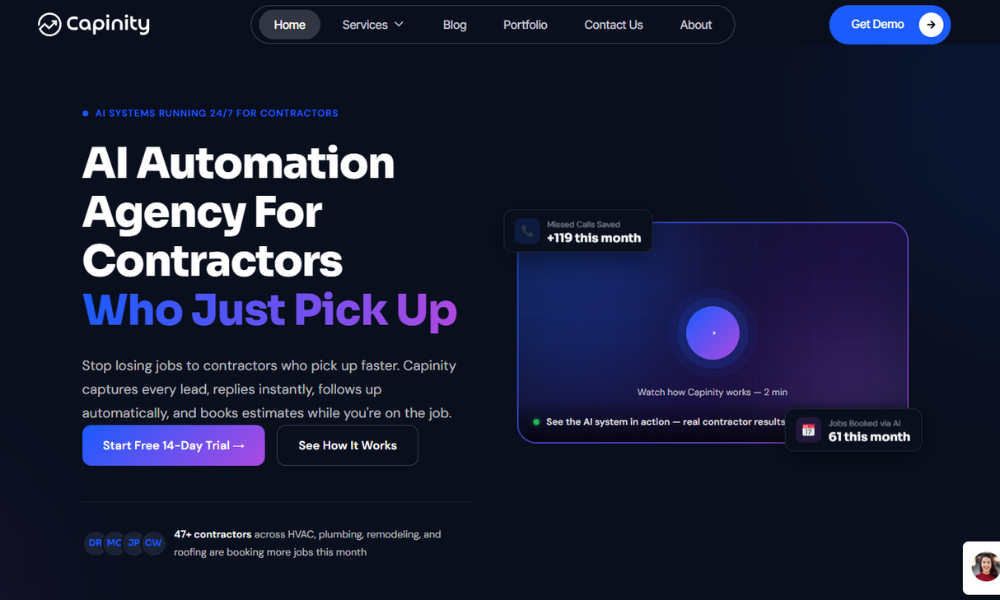
Its services include AI-assisted lead response, website chat, missed-call text-back, automated follow-up, appointment booking, and local SEO support.
For example, imagine an HVAC technician is repairing an air conditioner when a new customer calls about a broken system. The technician cannot answer immediately. A missed-call response can acknowledge the inquiry, and an appropriate follow-up process can help move the conversation toward an estimate or appointment.
This approach is especially relevant to businesses that depend on inbound calls, website inquiries, and scheduled service work.
Key capabilities to evaluate:
- Responses to website inquiries and new leads
- Missed-call text-back
- Automated SMS and email follow-up
- Lead qualification and appointment booking
- Website chat and lead capture
- Local SEO services for greater online visibility
Best for: HVAC companies, plumbers, roofers, remodelers, and other contractors who want help managing new inquiries while they are on the job.
What to consider: Confirm which features are included in the plan you choose, which integrations you need, and how the system fits your existing phone, calendar, and CRM setup.
If your main problem is not generating leads but responding to and converting the leads you already receive, Capinity is a relevant option to explore.
You can learn more or start a free 14-day trial.
2. HubSpot — Best for CRM-Based Sales Follow-Up
HubSpot offers sales automation features designed to help teams organize prospects, create follow-up tasks, and manage sales activities.
Its sales automation tools include sequences and workflows that can support structured follow-up. The exact features available depend on the product and subscription.
HubSpot may be a good fit if your business needs a central place to manage contacts and sales opportunities alongside its follow-up process.
Key capabilities:
- CRM and contact management
- Sales sequences and workflows
- Follow-up tasks and reminders
- Sales pipeline tracking
- Reporting and integrations
Best for: Small businesses that want to connect lead follow-up with a broader sales CRM.
What to consider: Review the plan requirements for the automation features you need. A business that only wants simple missed-call responses may not need a full sales platform.
3. Zoho CRM — Best for Customizable Sales Workflows
Zoho CRM helps businesses manage leads, contacts, deals, and customer interactions. Its workflow automation can perform actions such as assigning tasks, sending email notifications, and updating records when defined conditions are met.
For example, a business could create a workflow that assigns a new inquiry to a team member and schedules a follow-up task.
Zoho is worth considering if you want to customize how leads move through your sales process.
Key capabilities:
- Lead and contact management
- Workflow rules
- Task assignment and notifications
- Deal and pipeline tracking
- Integrations with other business tools
Best for: Small businesses that want customizable CRM workflows.
What to consider: More customization can mean more setup. Make sure the workflow is easy for your team to understand and maintain.
Official documentation: Zoho CRM workflow automation.
4. Pipedrive — Best for Sales Pipeline and Activity Management
Pipedrive is a sales CRM that helps businesses organize leads and deals, track sales activities, and automate parts of their sales process.
Its automation features can trigger actions when certain events occur, such as a deal being created or moving to a new stage. Depending on the setup, these actions can include creating tasks or sending emails.
Pipedrive is particularly useful when your team needs visibility into the next step for every opportunity.
Key capabilities:
- Visual sales pipeline
- Lead and deal management
- Automated sales activities
- Trigger-based workflows
- Email integration and reporting
Best for: Businesses with a defined sales process and multiple opportunities to track.
What to consider: Check which plan includes the automations you need and whether you require additional tools for SMS, phone-based follow-up, or marketing campaigns.
Official feature information: Pipedrive workflow automation.
5. ActiveCampaign — Best for Email-Based Lead Nurturing
ActiveCampaign focuses on marketing automation and customer communication. Businesses can use automated email journeys to send relevant messages based on subscriber actions, contact information, and workflow rules.
For example, someone who downloads a guide might receive a series of helpful emails before being invited to schedule a consultation.
This can be useful when leads need education and several touchpoints before they are ready to buy.
Key capabilities to evaluate:
- Email marketing automation
- Contact segmentation
- Trigger-based customer journeys
- Lead nurturing workflows
- Campaign reporting and integrations
Best for: Businesses that generate leads through content, newsletters, and email campaigns.
What to consider: If your main need is answering missed calls or booking local service estimates, confirm that the platform supports the phone and scheduling workflows you require.
6. Keap — Best for Small Businesses Combining CRM and Follow-Up
Keap combines CRM and automation features to help small businesses manage contacts, follow up with leads, and organize customer-related activities.
Its platform includes CRM, email and text communication, appointment features, and automation capabilities. The exact features and usage limits should be checked against the current plan.
Keap may be worth considering if you want to bring several sales and customer-management activities together instead of maintaining separate tools.
Key capabilities:
- Contact and customer management
- Email and text communication
- Automated follow-up workflows
- Appointment management
- Sales and business reporting
Best for: Small businesses that want to connect customer records with sales and follow-up activities.
What to consider: Compare the total cost with your expected contact volume and the features you will actually use.
7. HighLevel — Best for Multi-Channel Lead Management
HighLevel offers CRM and marketing automation features that support lead management, messaging workflows, and appointment-related processes.
One notable feature is missed-call text-back, which can automatically send a text when an incoming call goes unanswered, subject to the system’s settings and messaging requirements.
HighLevel may suit service businesses or agencies that want to connect several lead communication activities in one system.
Key capabilities:
- CRM and lead management
- Workflow automation
- Missed-call text-back
- SMS and email communication
- Appointment and marketing workflows
Best for: Service businesses and agencies that need a connected lead-management and marketing workflow.
What to consider: Review the setup requirements, messaging costs, available integrations, and plan limits before choosing it.
Official documentation: How HighLevel’s missed-call text-back works.
Comparison Table: Which Lead Follow-Up Tool Is Right for You?
Use this table as a starting point. It summarizes each platform’s general focus, not a guarantee that every listed feature is included in every plan.
|
Software |
Best for |
Main focus |
|
Capinity |
Contractors and local businesses |
Lead response, missed-call recovery, follow-up, and booking |
|
HubSpot |
CRM-focused sales teams |
Sales workflows and contact management |
|
Zoho CRM |
Businesses needing customization |
CRM rules and workflow automation |
|
Pipedrive |
Sales-driven businesses |
Deal pipelines and follow-up activities |
|
ActiveCampaign |
Email-led lead nurturing |
Email campaigns and customer journeys |
|
Keap |
Small businesses combining CRM and automation |
Customer management and follow-up |
|
HighLevel |
Service businesses and agencies |
Multi-channel lead and marketing workflows |
Before deciding, compare current pricing, trial terms, automation limits, phone and SMS costs, integrations, and the level of setup support provided.
How to Choose the Right Automated Lead Follow-Up Software
The right tool should solve a specific problem in your business, not simply offer the largest number of features.
Use these steps to narrow down your options.
Step 1: Identify where leads get lost
Start by reviewing your current process.
Ask yourself:
- Do calls go unanswered when the team is busy?
- Do website inquiries sit in an inbox for hours?
- Are estimates sent but never followed up on?
- Do staff forget to contact leads again?
- Is it difficult to tell which leads have booked?
Choose software that addresses your biggest gaps first.
Step 2: List your lead sources
Your business might receive inquiries through phone calls, website forms, Google Business Profile, email, social media, or paid advertising.
Look for a tool that can capture leads from the channels you use. If your leads arrive from several sources, make sure they can be organized in one place or connected through reliable integrations.
Step 3: Decide which tasks to automate
Not every interaction should be automated.
Good candidates include:
- Confirming that a form submission was received
- Sending appointment reminders
- Creating follow-up tasks
- Acknowledging missed calls
- Sending a relevant follow-up after an estimate
- Notifying the appropriate team member about a new lead
Keep conversations personal when customers need advice, want to discuss a complex project, or have concerns that require human judgment.
Step 4: Check integrations and setup requirements
A tool might look impressive but still create extra work if it does not connect with your current phone system, calendar, website, or CRM.
Before committing, confirm that the necessary integrations are available and understand whether you need technical help to configure them.
Step 5: Compare the total cost
Do not compare subscription prices alone.
Consider the full cost of using the system, including:
- Monthly or annual software fees
- Additional users or contacts
- SMS, phone, or email usage
- Paid integrations
- Setup and onboarding
- Ongoing maintenance and support
The best value is the tool that solves your problem at a cost your business can justify.
Step 6: Test the complete customer journey
Use a trial or demonstration to test a real-world scenario.
Submit a test inquiry, check the first response, simulate a missed call if supported, and verify that follow-up tasks or appointments work as expected.
Also test what happens when a customer replies, books an appointment, or asks not to receive more messages.
How Contractors Can Use Automated Lead Follow-Up
Contractors often need to balance customer communication with hands-on work. A plumber might be fixing a leak, an HVAC technician could be servicing a system, or a roofer may be working on a property when a new inquiry arrives.
Here are three practical ways automated follow-up can help.
Example 1: Responding to a missed plumbing call
A homeowner calls a plumbing company but no one answers.
An eligible missed-call workflow sends a text acknowledging the call and asking what service is needed. The plumber can review the response and contact the homeowner when appropriate.
This gives the customer another way to communicate instead of leaving the missed call without acknowledgment.
Example 2: Following up on an HVAC estimate
A homeowner requests an HVAC estimate through a website form.
The system confirms receipt of the inquiry and alerts the team. After the estimate is sent, a scheduled follow-up reminds the homeowner that they can ask questions or arrange the next step.
If the customer replies or books an appointment, the follow-up sequence should stop or adjust to avoid unnecessary messages.
Example 3: Booking a roofing inspection
A homeowner contacts a roofing company about a possible roof repair.
The company collects basic project details and provides a scheduling link or arranges a callback. Once the inspection is booked, the system can send a confirmation and, if supported, a reminder before the appointment.
In each case, automation supports the team’s work. It does not replace the need for accurate estimates, professional advice, or reliable service.
Common Lead Follow-Up Mistakes to Avoid
Even good software cannot fix a poorly planned process. Avoid these common mistakes.
Responding with generic messages
A message that says only “Thanks for contacting us” may acknowledge the inquiry but does not necessarily help the customer take the next step.
Where appropriate, explain what information you need, when the customer can expect a response, or how they can schedule an appointment.
Sending too many messages
Repeated messages can frustrate potential customers and damage trust.
Set reasonable intervals, stop sequences when a lead responds or books, and respect requests to stop receiving messages.
Automating everything
Automation works best for routine, predictable tasks. Complicated questions, complaints, sensitive situations, and unusual service requests may need a person.
Make it easy for customers to reach a team member when necessary.
Failing to measure results
Do not judge success only by the number of messages sent.
Track useful outcomes such as response time, replies, booked appointments, estimates accepted, and customers acquired. Compare results before and after implementation where possible.
Ignoring messaging rules
Automated email and text messages must follow the applicable laws and platform policies.
For commercial email in the United States, the Federal Trade Commission’s CAN-SPAM compliance guide explains requirements such as accurate sender information, non-deceptive subject lines, a valid postal address, and a clear opt-out process.
Text-message requirements can vary by message type, consent, location, and carrier. Review the rules that apply to your business before launching automated campaigns.
Frequently Asked Questions
What is the best lead follow-up software for small businesses?
The best option depends on your needs. Capinity is worth exploring for contractors and local service businesses that need lead response, missed-call recovery, follow-up, and booking support. HubSpot, Zoho CRM, and Pipedrive are alternatives for businesses focused on CRM and sales workflows, while ActiveCampaign is suited to email-led nurturing.
Compare features, current pricing, integrations, and setup requirements before deciding.
Can lead follow-up be automated?
Yes. Many platforms can automatically acknowledge new inquiries, send scheduled emails or text messages, create tasks, notify staff, and trigger follow-up based on customer actions. The available options depend on the platform and how it is configured.
Is automated lead follow-up software the same as a CRM?
Not exactly. A CRM stores and organizes customer information and interactions. Lead follow-up software focuses on the process of contacting and nurturing leads. Many CRMs include follow-up automation, while some tools specialize in messaging, lead response, or appointment booking.
Can software automatically text leads after a missed call?
Some platforms support missed-call text-back. When an eligible incoming call goes unanswered, the system can send a configured text message. You should verify the feature, phone-number eligibility, messaging costs, and applicable consent and messaging requirements before enabling it.
Is automated lead follow-up software expensive?
Costs vary by provider, plan, number of users, contacts, messages, and integrations. Some tools offer trials or entry-level plans, while more advanced systems may require higher subscriptions or additional setup. Compare the total cost with the time saved and the business outcomes you can measure.
How often should a business follow up with a lead?
There is no universal schedule. It depends on the service, the customer’s urgency, and the conversation so far. Start with a prompt acknowledgment, then use reasonable, relevant follow-ups that give the customer a clear next step. Stop or adjust messages when the customer responds, books, declines, or opts out.
Final Thoughts
Choosing the best automated lead follow-up software starts with understanding where your business loses opportunities.
If your team struggles to manage sales pipelines, a CRM with workflow automation may be the right choice. If you rely on email campaigns to nurture prospects, an email automation platform may be a better fit. If your business depends on incoming calls, website inquiries, and booked service estimates, prioritize fast lead response, missed-call recovery, and practical follow-up workflows.
The important thing is to build a process that helps every inquiry receive appropriate attention.
More leads can help your business grow, but capturing and following up with the leads you already receive is an important place to start.
Want to Stop Losing Leads While You’re on the Job?
Capinity helps contractors and local service businesses respond to new inquiries, recover missed calls, automate follow-ups, and book estimates while the team focuses on serving customers.
Explore the platform and see whether it fits your business.